
I have designed this guide to help you navigate the rapidly evolving landscape of intelligent systems. The pace of change is incredible, and staying informed is your first step toward success.
My goal is to provide the essential knowledge required to select the most effective solutions for your specific business needs. Making the right choice can save significant time and resources.
As a professional, I have observed that integrating advanced technology is no longer optional for teams aiming to keep a competitive edge. It has become a fundamental part of modern strategy.
This article serves as a comprehensive resource. It will help you understand how modern innovations can transform your approach to building and maintaining complex digital systems.
I will walk you through the best practices for implementing these powerful tools. Our focus will remain on ensuring your team stays dedicated to high-value engineering objectives.
Key Takeaways
- This guide is your map for the fast-changing world of intelligent digital solutions.
- Learn how to choose the most effective tools for your unique business challenges.
- Adopting advanced technology is now essential for maintaining a competitive position.
- Gain a clear understanding of how modern innovations can overhaul your digital projects.
- Discover proven methods for smooth implementation that keeps your team productive.
- The focus is on practical strategies that drive real business value and growth.
Introduction to the Buyer’s Guide for AI Software Development
Navigating the array of available tools requires a clear understanding of current market trends and team challenges. This guide is your resource for making a strategic investment that aligns with your operational goals.
A recent McKinsey report highlights a decisive shift. It indicates that 67% of organizations plan to increase their AI investments significantly over the next three years.
AI Software Development
Concurrently, productivity data paints a concerning picture. The Cortex State of Developer Report found that 58% of respondents lose over five hours each week to unproductive work.
This guide addresses the critical need for better solutions. It helps your business overcome these persistent and costly productivity bottlenecks.
Understanding this landscape is the first step toward successful integration into your daily operations today. By focusing on the right development strategies, you can reclaim lost time. Your team will build high-quality products more efficiently.
The Rise of AI Tools in Software Engineering

The landscape of software engineering underwent a seismic shift in late 2025 with the arrival of powerful new models. This past year fundamentally changed how many of us approach our daily tasks.
Innovative Models and Their Impact
The release of advanced systems like Opus 4.5, GPT-5.2, and Gemini 3 marked a definitive tipping point for automated coding. These models brought unprecedented capability to the developer’s toolkit.
They are not just incremental updates. They represent a leap in understanding complex logic and generating functional, clean code.
Real-World Developer Experiences
The practical impact is already profound. Boris Cherny, creator of Claude Code, demonstrated this by writing 200 pull requests in a single month using generated code.
Andrej Karpathy, a cofounder of OpenAI, observed this transformation firsthand. He noted, “the profession is being refactored as the bits contributed by the programmer become increasingly sparse.”
Many developers now report that these tools solve intricate problems in minutes. These are tasks that once demanded hours of manual effort and deep expertise.
From my own experience, the world of building digital systems is changing rapidly. We are moving toward a future where the bulk of the writing is handled intelligently, allowing human creativity to focus on higher-level design.
Mastering AI Software Development with Cutting-Edge Tools
The true power of contemporary coding assistants lies in their seamless integration into mobile workflows. For instance, Claude Code allows developers to connect to GitHub and run tests directly from a mobile device.
This means you can manage your entire repository and verify code from a phone. It turns any location into a potential workspace.
I have found this level of connectivity is a vital part of modernizing your process. It maintains high velocity during complex projects.
“The ability to review and approve pull requests from my mobile app has been a game-changer for my team’s efficiency,” a senior engineer recently noted.
Mastering this tool requires a fundamental shift. You move from manual typing to orchestrating intelligent agents that handle implementation.
| Aspect | Traditional Workflow | Modern Agent-Assisted Workflow |
|---|---|---|
| Primary Environment | Desktop IDE only | Any device with an internet connection |
| Testing Cycle | Manual execution on local machine | Remote, automated test suites triggered on command |
| Deployment Readiness | Requires dedicated desk time | Code can be verified and pushed from anywhere |
| Core Mindset | Writing every line | Directing and validating agent output |
This capability lets you push production-ready code while traveling. However, it relies on having robust automated test suites covering your business logic.
The code changes you instruct these agents to make must be verified. This new paradigm is about trust and oversight, not just automation.
Evaluating Versatile AI Tools for Code Generation
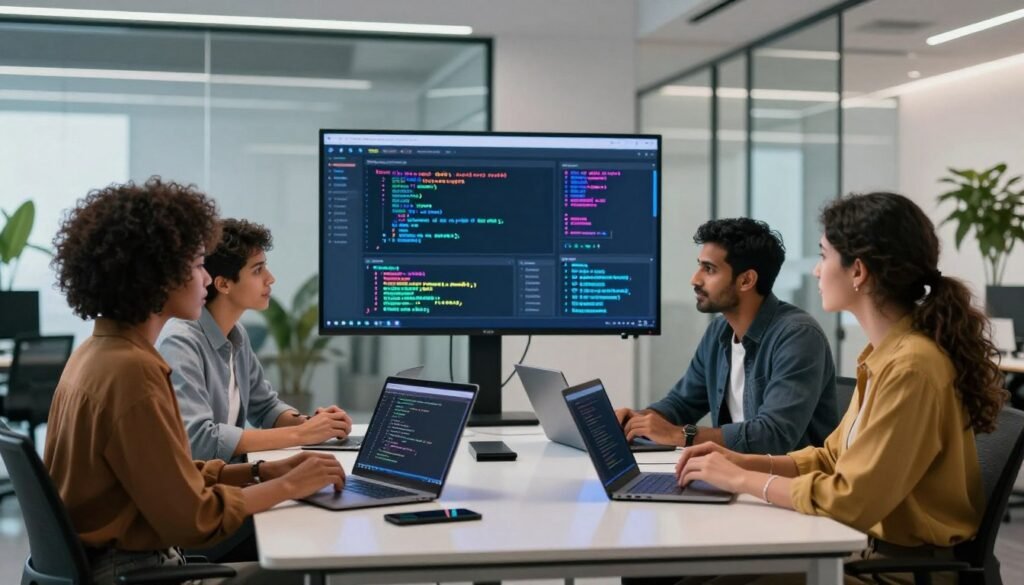
The selection process for a coding companion hinges on evaluating its specific capabilities against your team’s daily needs. I find four leading platforms offer distinct advantages for different project scenarios.
Pieces is a versatile tool free for individual use. Its standout feature is long-term memory for your snippets, creating a personalized knowledge base.
Tabnine supports an impressive array of over 25 programming languages. Its enterprise plan, at $39 per user, provides powerful features designed for collaborative team environments.
Amazon CodeWhisperer integrates deeply as an ide assistant. It actively scans for security vulnerabilities while supporting 15 languages, adding a vital safety layer.
GitHub Copilot demonstrates massive market validation. Over 20,000 organizations and a million developers use it to boost their daily code output.
| Tool Name | Key Feature | Language Support | Ideal For |
|---|---|---|---|
| Pieces | Free; long-term snippet memory | Broad | Individuals managing personal code libraries |
| Tabnine | Enterprise features; extensive language support | 25+ | Teams working in diverse tech stacks |
| Amazon CodeWhisperer | Built-in security scanning | 15 | Projects with strict compliance and safety needs |
| GitHub Copilot | Massive adoption and community | Multiple | Developers seeking the most integrated and popular tool |
When evaluating each model, consider how its specific features align with your existing workflow. The complexity of your current codebase should guide your final choice.
Enhancing Productivity with AI-Powered Code Completion Techniques
A simple keyboard shortcut in the right tool can now generate entire blocks of functional code on demand. The Cursor IDE’s ⌘ K feature exemplifies this shift. It lets you create new code without first selecting text.
This capability is a cornerstone for modern productivity. It transforms your workflow from manual typing to intelligent direction.
Streamlining Repetitive Tasks
These features excel at automating boilerplate and routine coding tasks. You bypass the tedium of writing standard patterns. Your mental energy is freed for complex logic.
I use this for generating API endpoints or UI components. The time savings compound throughout a project.
| Common Programming Task | Manual Time Estimate | AI-Assisted Time | Efficiency Gain |
|---|---|---|---|
| Create a React component | 10-15 minutes | 2-3 minutes | ~80% faster |
| Write a database model class | 20 minutes | 5 minutes | 75% faster |
| Implement standard API CRUD endpoints | 1 hour+ | 15 minutes | 75% faster |
Boosting Code Accuracy and Reliability
Leveraging llms for generation introduces a layer of validation. These systems are trained on vast corpora of correct code. They produce syntactically sound and logically consistent output.
This reduces simple typos and syntax errors. It ensures your programming remains reliable, even for complex new features.
I recommend trusting these tools for foundational coding. Focus your expertise on architecture and design decisions. This strategy maintains high quality while accelerating delivery.
Transforming Code Review and Refactoring with AI

One of the most impactful shifts I’ve witnessed is the transformation of the traditional code audit. Intelligent systems now handle the heavy lifting of analysis and suggestion.
Platforms like Figstack provide a powerful tool for this. They analyze the time complexity of your functions using Big O notation to spotlight performance bottlenecks.
I regularly use these capabilities to refactor messy legacy code. This ensures every part of my project adheres to modern efficiency and clarity standards.
Automating routine review tasks catches potential issues much earlier. It saves your team from costly bugs that often emerge during later deployment phases.
You can also employ these assistants to explain complex logic to other developers. This makes maintaining and sharing a codebase significantly easier for everyone involved.
Refactoring is no longer a manual chore. Intelligent agents suggest cleaner, more efficient ways to structure your code, turning a tedious process into a strategic advantage.
Addressing the Changing Value of Developer Expertise
Expertise in software creation is no longer measured by the number of programming languages one can manually write. In recent years, the value of being a polyglot has declined. AI can now help you navigate unfamiliar code quickly and effectively.
I believe solving complex business problems is now more critical than typing perfect syntax. Developers who focus on product-minded traits and leadership are becoming more valuable. They understand user needs and can guide a project’s vision.
As automation handles routine code, your expertise must shift. Focus on system design, security, and ensuring the overall quality of the output. This is where human judgment remains irreplaceable.
| Valued Trait (Past) | Valued Trait (Present) | Primary Focus Shift |
|---|---|---|
| Mastery of a single language | Tool Orchestration | From memorizing syntax to directing intelligent systems for code generation |
| Deep Technical Specialization | Broad Product Sense | From one stack to understanding holistic user and business goals |
| Manual Code Writing Speed | Solution Architecture | From typing lines to designing scalable, secure system foundations |
| Individual Contribution | Team Leadership & Quality Assurance | From writing code to ensuring output integrity and guiding the development process |
We are entering an era where the most successful developers are expert orchestrators. They effectively leverage AI to build robust and scalable software. Your strategic thinking defines your value.
Product Management and Software Engineering Convergence
The traditional walls separating product and engineering roles are beginning to crumble under the influence of new generative tools. I see a clear overlap forming where product managers can now generate functional code more easily.
This changes how we structure our work. Product managers can realize their vision with fewer dedicated engineers. It fundamentally reshapes project timelines and resource planning.
AI Software Development
The convergence demands a dual shift. Engineers must become more product-minded, focusing on user outcomes. Meanwhile, product managers gain the ability to build and test their own prototypes.
Successful teams will embrace this overlap to move faster. It ensures the software they build aligns perfectly with user needs and business goals. Speed and relevance become the primary advantages.
From my experience, this shift fosters highly collaborative generate code environments. Everyone is empowered to contribute directly to the final product. The line between defining a feature and implementing its code is becoming wonderfully blurred.
This new dynamic requires trust and shared understanding. The focus moves from handoffs to continuous collaboration. The result is better software delivered more efficiently.
Integrating AI Tools with Your Existing Development Workflow
Your current coding environment is your command center. Integrating new capabilities there prevents workflow disruption.
I find that seamless blending is crucial for generate code maintaining high productivity throughout the month. The goal is to make these tools feel like a natural extension of your process.
Overcoming Context Switching Challenges
Constant shifting between windows and apps destroys focus. Solutions like Pieces Drive are designed to combat this.
It keeps all your materials accessible within your primary environment. This centralization is key to avoiding costly context switches.
| Workflow Aspect | Without Integration | With Deep Integration |
|---|---|---|
| Access to Snippets & Docs | Scattered across apps and browser tabs | Centralized within the IDE or terminal |
| Mental Focus | Fragmented; high cognitive load | Sustained; minimal disruption |
| Code Generation Flow | Interrupted by manual searches | Continuous and uninterrupted |
| Project Context | Easily lost when switching tasks | Persists, allowing you to pick up right where you left off |
I recommend a disciplined setup. Connect your tools directly to your terminal and IDE. This ensures your code generation remains a smooth, single-context activity.
By managing your agents this way, you protect your development rhythm. You’ll never lose track of your progress.
Navigating the Future of AI Software Development
The prediction that machines will write most of our code is no longer science fiction but an emerging reality. Anthropic CEO Dario Amodei forecasted that AI would author 90% of code within a year. This milestone is actively unfolding today.
The future of software development is being shaped by llms. These models lines code are increasingly capable of writing nearly all the lines of code for a project.
Navigating this shift requires you to stay curious others and open to new tools. They can solve the complex problems of our modern world.
I suggest you treat every AI request as a learning opportunity. Refine your ability to guide these powerful models effectively.
Whether you are a pro or just starting, embracing these changes ensures you remain at the forefront of innovation. Your role evolves into that of a strategic guide, directing the creation of robust software solutions.
Conclusion
The future of creating software is here, demanding a new mindset focused on orchestration over manual typing. This shift transforms the core developer experience, making powerful tools an essential part of every project.
Embracing these technologies is no longer optional for teams that want to lead. They directly boost productivity and solve complex business lines code probl ems with remarkable speed.
I encourage you to actively experiment. Find the model and features that best match your team’s specific coding environment and workflow needs. others
Your ability to effectively integrate these assistants will define your success. It ensures you build robust, high-quality code and stay competitive in this rapidly evolving field.